API to Commands#
Import any OpenAPI spec, Postman collection, or GraphQL schema and every operation becomes a first-class CLI command.
Import a spec#
# From a URL
sdkck api import https://petstore3.swagger.io/api/v3/openapi.json

# From a local file
sdkck api import ./api.yaml --name myapi

# From a Postman collection
sdkck api import ./postman_collection.json --name myapi

# With authentication
sdkck api import ./api.yaml --auth-type bearer --token sk-...
The --name flag overrides the default name (which is derived from the spec title).
GraphQL#
Import a GraphQL schema to get every query and mutation as a CLI command.
Auto-detection#
api import detects GraphQL sources automatically — no extra flag needed in most cases:
- SDL files — any source with a
.graphql,.gql, or.graphqlsextension - Live endpoints — any URL whose path ends in
/graphql - Introspection JSON — use
--graphqlto force GraphQL mode (the file looks like plain JSON)
# SDL file (auto-detected by extension)
sdkck api import ./schema.graphql --name myapi --base-url https://api.example.com/graphql

# Live endpoint (auto-detected by URL path)
sdkck api import https://api.example.com/graphql --name myapi

# Introspection JSON (must pass --graphql explicitly)
sdkck api import ./introspection.json --graphql --name myapi --base-url https://api.example.com/graphql
SDL imports require --base-url pointing at the live endpoint, since the file itself contains no URL. Live endpoint imports set the base URL automatically.
Selection sets#
Sidekick auto-generates a default selection set for each operation, recursing into nested object types up to depth 3. Fields that require arguments are omitted from the selection. Control the depth with --selection-depth:
sdkck api import ./schema.graphql --name myapi --base-url https://api.example.com/graphql --selection-depth 5Operation naming#
Each query and mutation field becomes a command named after the field:
# After importing a GraphQL schema with a "listPets" query
sdkck myapi listPets

# And a "createPet" mutation
sdkck myapi createPet --body name=Fido
If a query and mutation share the same field name, the mutation gets a -mutation suffix to avoid collision — queries keep the short name.
List imported specs#
# List all imported APIs
sdkck api list

# List operations for a specific API
sdkck api list petstore
Call operations#
# Simple call
sdkck api call petstore listPets

# With path/query parameters
sdkck api call petstore getPetById --param petId=42

# With request body
sdkck api call petstore createPet --body name=Fido --body tag=dog

# With extra headers
sdkck api call petstore listPets --header X-Trace=abc

# Raw response (no JSON formatting)
sdkck api call petstore listPets --raw
Dynamic commands#
Once imported, every operation is available as a first-class command — no api call wrapper needed. This is the recommended way to use imported APIs.
# Preferred: use the dynamic command directly
sdkck petstore listPets
sdkck petstore getPetById --param petId=42
sdkck petstore createPet --body name=Fido --body tag=dog

# Equivalent, but more verbose
sdkck api call petstore listPets
sdkck api call petstore getPetById --param petId=42
sdkck api call petstore createPet --body name=Fido --body tag=dog
Dynamic commands are registered at startup and appear in sdkck help and sdkck commands alongside built-in commands — use tab completion and --help just like any other command:

# Discover available operations
sdkck help petstore

# Get help for a specific operation
sdkck petstore getPetById --helpAuthentication#
Configure auth per spec:
# Bearer token
sdkck api auth petstore --type bearer --token sk-...

# API key
sdkck api auth petstore --type apikey --api-key mykey
sdkck api auth petstore --type apikey --api-key mykey --api-key-header X-API-Key

# Basic auth
sdkck api auth petstore --type basic --username user --password secret

# Custom headers
sdkck api auth petstore --type custom --header X-Tenant-ID=acme --header X-App-Key=secret

# Remove auth
sdkck api auth petstore --type none

# View current settings
sdkck api auth petstore --show
Configuration#
Update spec metadata:
sdkck api config petstore --base-url https://api.example.com
sdkck api config petstore --rename mystore
sdkck api config petstore --title "My Petstore" --description "A pet store API"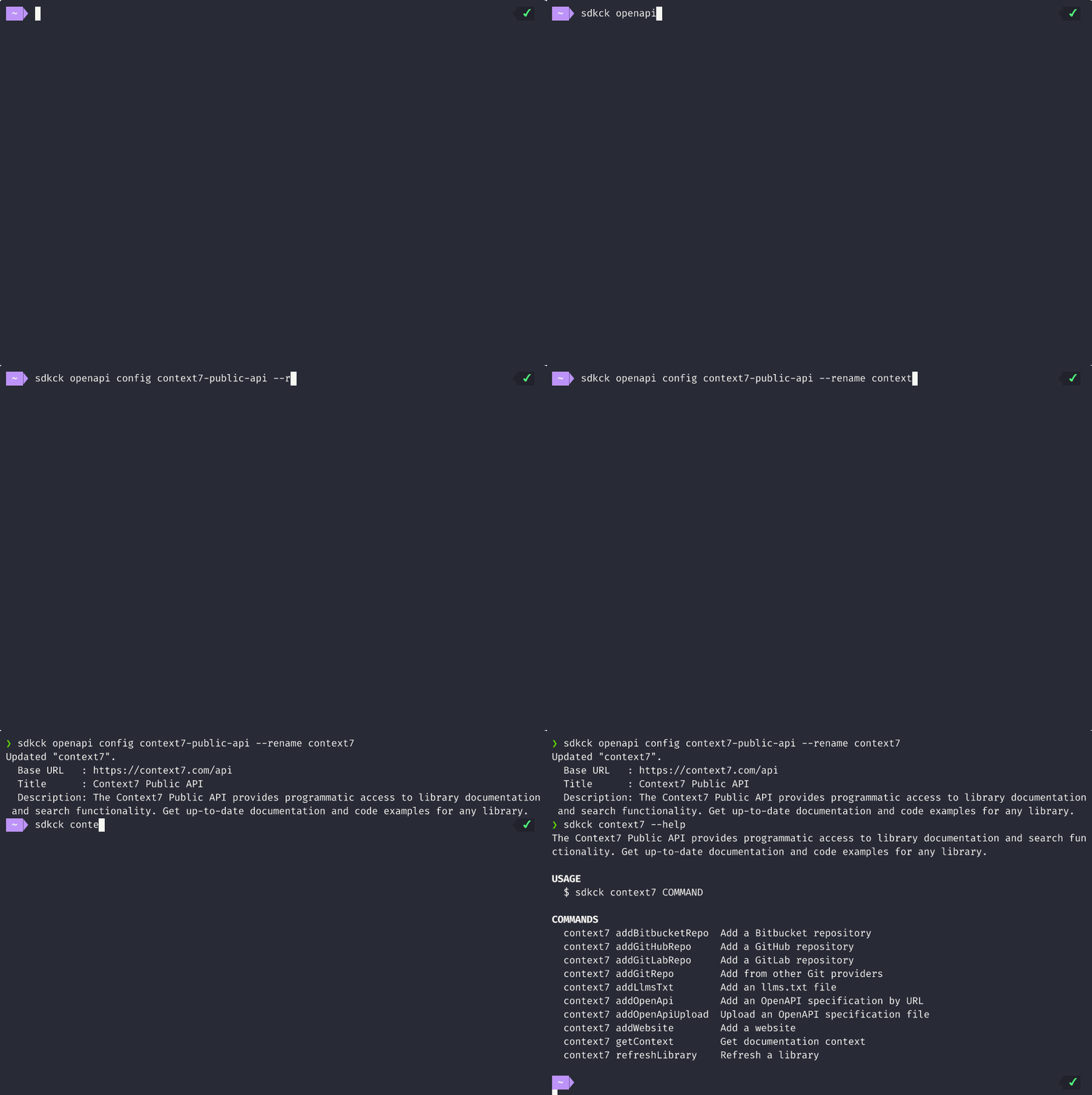
Remove a spec#
sdkck api remove petstoreReady-to-import specs#
Try importing these real APIs directly:
# Notion API
sdkck api import https://hesedcasa.github.io/sdkck/openapi-notion.json --name notion

# Obsidian Local REST API (self-signed cert — use --insecure)
sdkck api import https://hesedcasa.github.io/sdkck/openapi-obsidian.json --name obsidian --insecure

# Stripe API
sdkck api import https://raw.githubusercontent.com/stripe/openapi/refs/heads/master/latest/openapi.spec3.json --name stripe

# Vercel API
sdkck api import https://openapi.vercel.sh/ --name vercel

# Context7 API
sdkck api import https://raw.githubusercontent.com/upstash/context7/refs/heads/master/docs/openapi.json --name context7

# Linear GraphQL API
sdkck api import https://raw.githubusercontent.com/linear/linear/refs/heads/master/packages/sdk/src/schema.graphql --name linear --base-url https://api.linear.app/graphql