Bitbucket (@hesed/bb)#
The @hesed/bb plugin lets you manage Bitbucket pull requests, repositories, and pipelines from the terminal. It is preinstalled with Sidekick.
Prerequisites#
- A Bitbucket account
- An App password (see below)
Step 1: Get your Bitbucket App password#
Bitbucket uses App passwords for API access — not your account password.
- Log in to https://bitbucket.org
- Click your avatar in the bottom-left corner
- Go to Personal settings
- Select App passwords under Access management
- Click Create app password
- Give it a label (e.g.,
sdkck-cli) - Select the required permissions:
- Repositories: Read, Write
- Pull requests: Read, Write
- Pipelines: Read
- Click Create
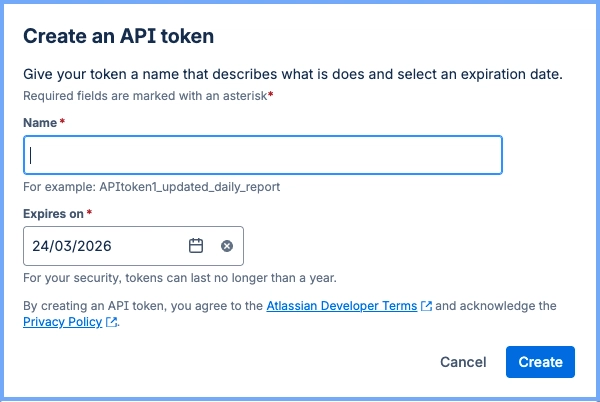
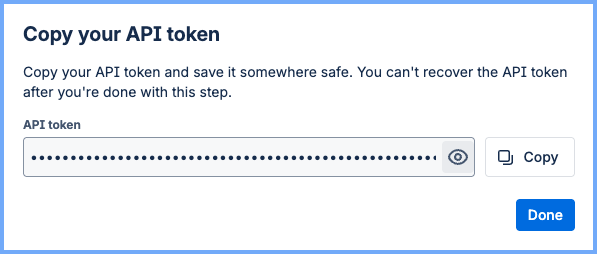
- Copy the generated password — it won't be shown again
Step 2: Configure auth in Sidekick#
sdkck bb auth addYou will be prompted for:
- Workspace — your Bitbucket workspace slug (visible in your Bitbucket URL)
- Username — your Bitbucket username
- App password — the password you copied in step 1
Step 3: Verify the connection#
sdkck bb auth testExample commands#
# List open pull requests in a repo
sdkck bb pr list my-workspace my-repo

# Create a pull request
sdkck bb pr create my-workspace my-repo --title "My PR" --source feature-branch --destination main

# List repositories in your workspace
sdkck bb pr list my-workspace my-repo
Discover all commands#
sdkck help bbTroubleshooting#
403 Forbidden
- Verify the App password has the correct permissions (Repositories and Pull requests)
Workspace not found
- Use the workspace slug, not the display name. The slug appears in Bitbucket URLs:
bitbucket.org/<workspace-slug>/